Amazon KDP is the largest self-publishing platform in the world and, for most independent authors, the starting point for both ebook and print-on-demand publishing. The platform is genuinely accessible for authors without prior publishing experience, but there are enough decisions and technical requirements involved that going in without a clear understanding of the process tends to produce avoidable problems.
If you want a broader view of how publishing works before diving into KDP specifically, it helps to understand the complete book publishing process from manuscript to launch, since KDP is just one (self-publishing) route within that ecosystem.
This guide covers how to publish on Amazon KDP from start to finish for both Kindle ebook publishing and print editions, including the decisions that affect your book’s performance after it goes live.
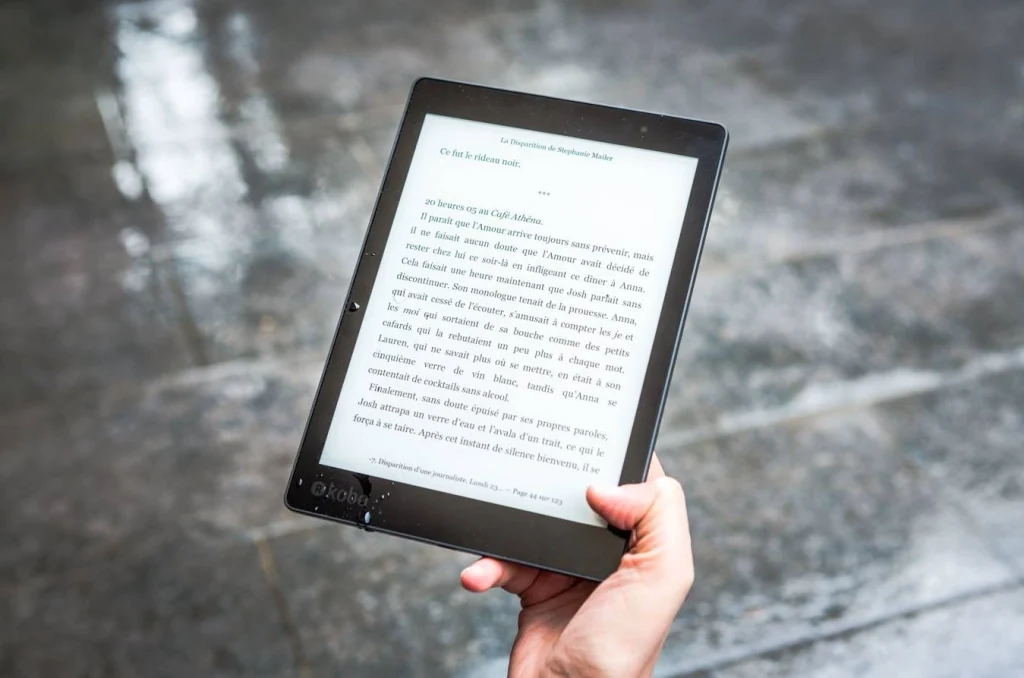
What Amazon KDP Offers
Understanding the Platform
Ebook and Print in One Place
Amazon KDP allows you to publish Kindle ebooks and print-on-demand paperback and hardcover books through a single account. The platform is free to use. Amazon takes a percentage of each sale rather than charging upfront fees. For ebooks priced between $2.99 and $9.99, Amazon pays 70 percent royalties to the author on most sales. For print books, the royalty is 60 percent of the list price minus the per-unit printing cost.
KDP Select
Amazon KDP also offers an optional program called KDP Select. Enrolling a title in KDP Select requires exclusive digital distribution through Amazon for 90-day periods, meaning you cannot sell the ebook through other platforms while enrolled. In exchange, KDP Select provides access to Kindle Unlimited (where readers can borrow your book and you earn based on pages read), promotional tools including free book days and Kindle Countdown Deals, and higher royalty rates in some international markets. Whether KDP Select makes sense depends on your distribution strategy.
Step 1: Prepare Your Manuscript
What KDP Accepts and How to Format It
Accepted File Formats
Amazon KDP accepts manuscript files in several formats. Microsoft Word (.docx) is the most common and generally produces clean conversions when the source file is properly formatted. EPUB files are also accepted and give you more control over the final appearance. HTML and plain text are accepted but require more technical handling. PDF is accepted for print interiors, but not recommended for ebook conversion.
Formatting Your Manuscript for Kindle Ebook Publishing
For Kindle ebook publishing, formatting consistency matters more than visual styling. You should rely on paragraph styles instead of manual spacing, avoid fixed layouts, and ensure chapters are properly structured.
One of the most common mistakes new authors make is using manual spacing or inconsistent indentation. Issues like these often come from confusion between double spaced and single spaced manuscript formatting, which affects print preparation more than ebook formatting but still impacts overall file structure.
Formatting for Print
Print formatting is different from ebook formatting. For a print interior, you need a properly sized document (trim size), appropriate margins for the page size, interior fonts suitable for print reading (serif fonts are standard), consistent header or footer formatting, and page numbering. Tools like Atticus, Vellum, or Reedsy Book Editor produce professional print-ready interiors. You can also hire a formatter or use KDP’s own formatting tools for basic layouts.
Step 2: Prepare Your Cover
Cover Requirements by Format
Ebook Cover Specifications
KDP recommends ebook cover images of 2,560 by 1,600 pixels (a 1.6:1 height-to-width ratio) in JPEG or TIFF format. The cover must be a minimum of 1,000 pixels on the longest side. Higher resolution is better. Your ebook cover file is uploaded separately from the manuscript file.
Print Cover Specifications
Print covers are more technically demanding than ebook covers. The print cover must include the front, spine, and back as a single wrapped file. The spine width depends on your page count and paper type, which KDP calculates when you enter your page count. KDP provides a downloadable cover template based on your specific page count. Using the template ensures the dimensions are correct before you have the cover designed.
KDP Cover Creator
KDP offers a built-in Cover Creator tool for authors who do not have a professionally designed cover ready. Cover Creator is functional and produces covers that meet KDP’s technical requirements. The results tend to look less professionally designed than custom covers, which matters for sales performance. For any book being seriously marketed, a professional cover design is worth the investment.

Step 3: Set Up Your KDP Account and Title
The Publishing Setup Process
Creating Your KDP Account
Amazon KDP uses your existing Amazon account. Go to kdp.amazon.com, sign in with your Amazon credentials, and complete the tax and payment information setup before publishing. US-based authors will need their Social Security Number or EIN for tax purposes. Non-US authors complete a W-8BEN tax form. Completing tax setup before publishing prevents payment holds later.
Title Information and Metadata
When you set up a new title in KDP, you enter the book title, subtitle, series information if applicable, edition number, author name, contributors, description, publishing rights confirmation, keywords, and categories. These metadata decisions directly affect how your book is discovered in Amazon search and what reader segments it reaches.
| Metadata Element | Why It Matters | Common Mistake |
| Book description | Appears on your product page; primary sales conversion tool | Written as a summary rather than a compelling hook |
| Keywords (7 available) | Drive search discovery on Amazon | Using single generic words instead of specific phrases, readers actually search |
| Categories (2 primary) | Determine where your book appears in browse and bestseller lists | Choosing broad categories with heavy competition instead of specific niches |
| Subtitle | Additional search visibility clarifies the book’s promise | Left blank when a strong subtitle would add search value |
| Series name | Group books for readers browsing your catalog | Not used consistently across a series |
Step 4: Set Your Price and Royalty Structure
Pricing Decisions That Affect Your Earnings
Ebook Pricing and Royalty Rates
Amazon KDP offers two royalty tiers for Kindle ebook publishing. The 70 percent royalty applies to books priced between $2.99 and $9.99 in supported markets. The 35 percent royalty applies to books priced below $2.99 or above $9.99. For most commercial fiction and nonfiction, pricing between $2.99 and $9.99 and earning the 70 percent royalty is the standard approach. Note that the 70 percent royalty is subject to delivery costs (a small per-MB fee deducted from each sale) for ebooks with large file sizes.
Print Pricing
For print books, your minimum list price is determined by the printing cost for your book’s page count and paper type. KDP shows you the printing cost before you finalize the price, so you can see exactly what your royalty will be at any given price point. Setting a price too close to the minimum means a very low royalty per sale. Research comparable books in your category to understand where readers’ price expectations sit.
Step 5: Publish and Review
The Final Steps
Previewing Your Book
Before submitting your title for publication, use KDP’s built-in previewer to review how your book looks on different Kindle devices and apps. This step catches formatting problems that are not visible in the Word document or source file but become apparent in the actual reading environment. Check the table of contents links, chapter breaks, image placement, and any pages with complex formatting.
Publication Timeline
After you submit a title, KDP typically reviews and publishes it within 24 to 72 hours. During this review period, you cannot make changes to the submitted files. Once published, changes to the manuscript or cover can be submitted at any time and typically go live within 24 to 48 hours after review.
- Complete tax information setup before submitting your first title
- Use the KDP cover template for print covers to ensure the correct spine width
- Preview on multiple Kindle devices before final submission
- Research category and keyword choices before entering metadata
- Set the list price based on category norms, not just printing cost

Final Thoughts
Amazon KDP publishing is accessible to any author willing to learn the platform’s requirements. The technical steps are manageable. The decisions that most affect a book’s performance after publication, the cover quality, the metadata choices, the pricing strategy, and the category selection, are the ones worth spending the most time on.
A book that is well-formatted, professionally covered, and correctly positioned in the right categories on Amazon has a significantly better chance of finding readers than one that rushed through those decisions.
Fable Publishers helps authors navigate the self-publishing process from manuscript to publication. If you want guidance on Amazon KDP publishing or any part of the production process, reach out to us.
FAQs
1. Is Amazon KDP publishing free?
Yes. Creating a KDP account and publishing books is free. Amazon takes a percentage of each sale as a royalty fee rather than charging up front. There are no listing fees or subscription costs required to publish.
2. What royalty rate does Amazon KDP pay?
Kindle ebooks priced between $2.99 and $9.99 earn 70 percent royalties in supported markets. Books priced outside this range earn 35 percent. Print books earn 60 percent of the list price minus the printing cost per copy.
3. What file format should I use for Kindle ebook publishing?
Microsoft Word (.docx) is the most commonly used format and produces clean conversions when the source file is properly formatted with paragraph styles rather than manual formatting. EPUB is also accepted and gives more control over the final appearance.
4. Should I enroll my book in KDP Select?
It depends on your strategy. KDP Select requires exclusive digital distribution through Amazon for 90-day periods. In return, you get access to Kindle Unlimited, promotional tools, and higher royalties in some markets. If you want to sell your ebook on other platforms like Apple Books or Kobo, KDP Select is not compatible with that goal.
5. How long does it take for a book to go live on Amazon KDP?
KDP typically reviews and publishes new titles within 24 to 72 hours of submission. Once published, updates to the manuscript or cover take an additional 24 to 48 hours after submission to appear on the product page.